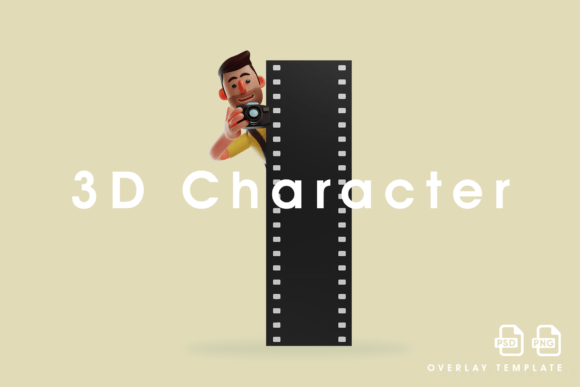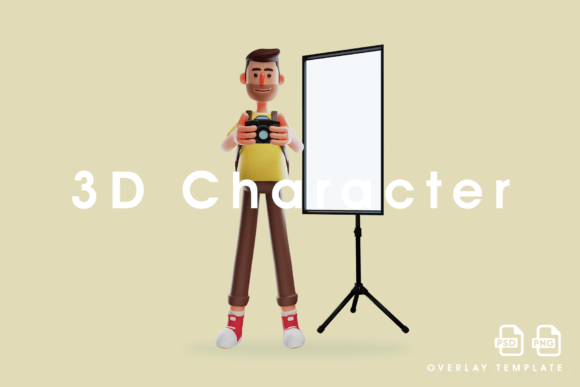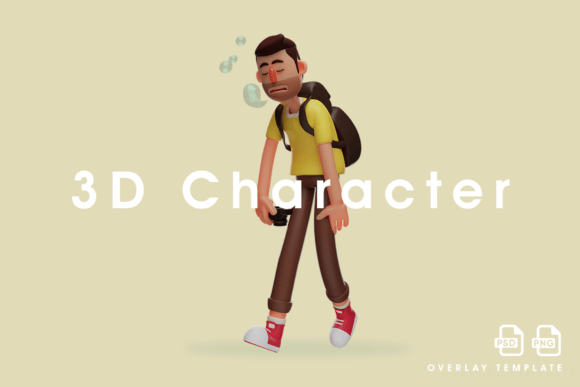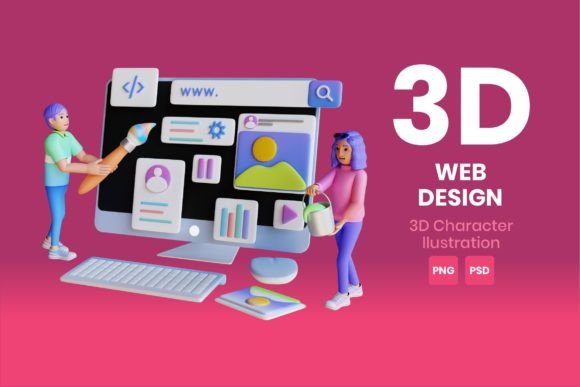
Web Design 3D Character Illustration: Enhancing Digital Experiences with High-Quality Renders
Web design is an ever-evolving field, and one of the most exciting trends in recent years has been the integration of 3D character illustration into websites and digital projects. These dynamic visual elements bring a new level of creativity, engagement, and professionalism to web interfaces. Whether you're a designer, marketer, or business owner looking to elevate your online presence, understanding how to choose and use 3D character illustrations effectively is essential.
What Is Web Design 3D Character Illustration?
Web Design 3D Character Illustration refers to the use of three-dimensional characters in digital media to enhance user experience, storytelling, or branding. Unlike traditional 2D images, these characters can be rotated, animated, and rendered with lifelike textures and lighting effects. They are commonly used in landing pages, explainer videos, educational platforms, and interactive websites to create immersive visuals that stand out.
With the rise of tools like Blender, Maya, and ZBrush, creating 3D characters has become more accessible than ever. However, the real value lies not just in creation but also in how well they are integrated into a website's design. This includes choosing the right format, ensuring compatibility across devices, and maintaining visual quality at scale.
Common Mistakes When Choosing 3D Character Illustrations
One of the first challenges many encounter is selecting the wrong type of 3D illustration for their project. Here are some common pitfalls to avoid:
- Ignoring file formats: Many designers download 3D assets without considering which format works best for their platform. For instance, using a .blend file directly on a website without conversion may cause issues. Always opt for formats like PNG (for static images) or GLB/GLTF (for interactive models).
- Overlooking resolution requirements: A poorly rendered image can look unprofessional, even if it’s conceptually great. Make sure to source high-quality renders at 4K resolution, especially when using transparent PNG files. Low-resolution graphics can appear blurry on modern high-DPI screens.
- Not checking layer structure in PSD files: If you’re working with layered Photoshop (.psd) files, it’s crucial to ensure each element—like clothing, accessories, or background—is separated properly. This allows for easy customization and editing later on.
- Using generic stock illustrations: Just like with any graphic, using overused 3D characters can make your site feel unoriginal. Look for unique, customizable options that align with your brand identity.
How Poor Choices Affect Your Project
Choosing the wrong 3D character illustration might seem minor, but the consequences can be significant. Let’s break down how poor decisions impact different areas:
- Visual Quality: If you download a low-res render, it may pixelate when zoomed in, especially on retina displays. This undermines the professional look you're aiming for.
- Website Performance: Large, unoptimized 3D models can slow down page load times. Even high-quality 4K PNGs need to be compressed correctly to maintain performance.
- Brand Consistency: A mismatch between your brand tone and the chosen 3D illustration can confuse users. For example, using a cartoonish character on a serious financial services site may dilute trust and credibility.
- Customization Limitations: If you don’t get access to layered PSD files, making edits later could require re-downloading or hiring additional help. This adds time and cost to your workflow.
Better Approaches to Selecting and Using 3D Characters
To avoid these issues, follow these practical steps when sourcing and implementing Web Design 3D Character Illustration:
1. Know What Format You Need
If you're integrating a static image, go for a transparent PNG at 4K resolution. It ensures clarity and seamless blending with your site's background. For interactive or animated characters, consider GLB or USDZ formats supported by most modern browsers and apps.
Always check if the asset comes with a PSD file. This gives you full control over layers and makes future adjustments easier without needing advanced 3D software.
2. Evaluate Source Credibility Before Downloading
Not all marketplaces offer the same quality. Stick to reputable sources like Envato Elements, Sketchfab, or Shutterstock where artists provide clear licensing terms and high-quality assets. Read reviews and look for portfolios that showcase the artist's attention to detail.
3. Match Style and Tone to Your Brand
Before downloading, ask yourself: Does this character fit my brand’s personality? A tech startup might prefer sleek, futuristic designs while a children's learning app would benefit from playful, colorful styles. Mismatched visuals can alienate your audience and reduce engagement.
4. Optimize for Speed and Compatibility
High-quality doesn't mean heavy. Use tools like TinyPNG or Squoosh to compress PNG files without losing detail. For 3D models, convert them to optimized versions using glTF exporters or online converters to keep file sizes manageable and improve loading speed.
5. Test on Multiple Devices
Even the best render can look off on different screen sizes. Always preview your 3D character illustrations on desktop, tablet, and mobile before finalizing. Some viewers may not support WebGL or other 3D rendering technologies, so have fallback images ready.
Realistic Examples of Good vs. Bad Implementation
Let’s compare two scenarios:
Bad Example:
A blogger creates a landing page for a new productivity course and downloads a free 3D character from a random site. The character looks flat and outdated. Worse, the PNG file isn’t transparent, forcing the blog to use a white background. The result is a cluttered layout that doesn’t reflect the course’s modern theme. Visitors leave quickly because the design feels unpolished.
Better Example:
A freelance marketer uses a high-quality 4K transparent PNG of a 3D character holding a notebook. The image is sourced from a vetted marketplace and perfectly aligned with the clean, minimalist style of the site. She also receives a layered PSD file, allowing her to tweak the character's pose and background easily. The final page loads quickly, looks professional, and converts better due to its polished appearance.
Things to Check Before Making a Decision
Before purchasing or downloading any Web Design 3D Character Illustration, consider the following checklist:
- Does the illustration come in the correct format for my needs (e.g., 4K PNG or layered PSD)?
- Is there a license included that permits commercial use?
- Can I customize the character (colors, expressions, poses) or do I need to buy a different version?
- Are there multiple views or animations available to add depth to the design?
- Has the artist provided a portfolio showing similar work with good reviews?
Conclusion
Incorporating Web Design 3D Character Illustration can transform your website into a visually compelling space. But to achieve that, you must be mindful of the choices you make—from the file types you use to the quality of the render and the relevance of the illustration to your message.
By avoiding common mistakes and focusing on high-quality assets like 4K transparent PNGs and editable PSD files, you’ll ensure your site remains fast, functional, and aesthetically strong. With the right approach, 3D characters can become powerful tools for storytelling, branding, and user engagement in your web projects.