Christmas Paper Cut 3D Background Design
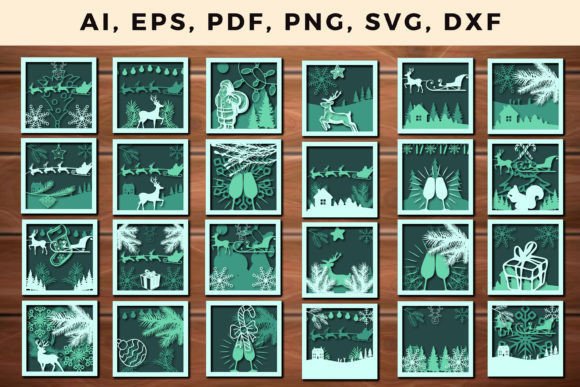
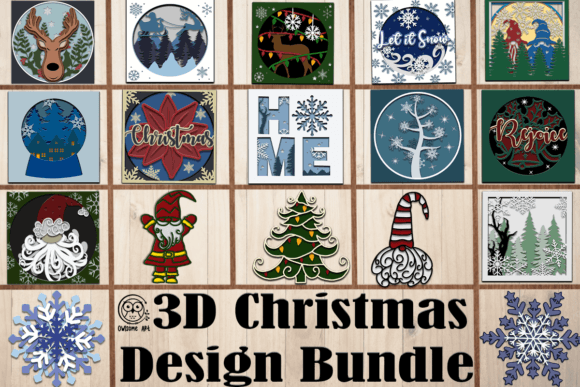
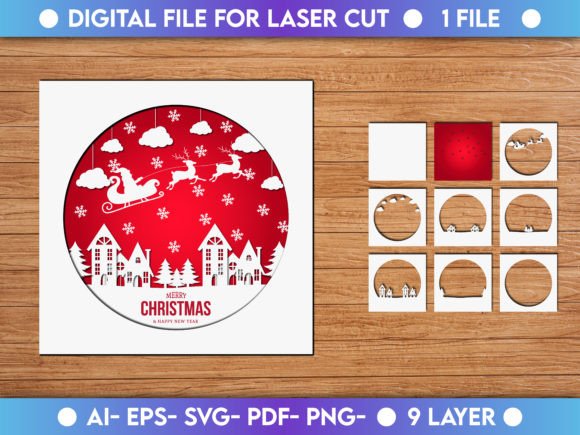
Christmas Paper Cut 3D Background Design is a festive and visually striking design format that brings the traditional charm of paper-cutting into the digital world. It uses layered, handcrafted-style elements to create depth and texture, making it perfect for holiday-themed projects. These designs are often used in print and digital media to add a warm, artistic touch that evokes the spirit of Christmas.
What Makes This Design Unique?
Unlike flat or minimalist background styles, Christmas Paper Cut 3D designs offer dimension and detail inspired by traditional papercutting art. Think of intricate snowflakes, layered trees, and whimsical holiday figures—all rendered with a sense of realism and tactile quality. The use of multiple layers gives the impression of something you could almost reach out and touch, which makes it ideal for creating memorable visual experiences.
Why Choose This Style?
These designs stand out because they combine classic aesthetics with modern versatility. Whether you're designing a holiday card, a website banner, or a promotional poster, this style adds a level of sophistication and warmth that's hard to achieve with other formats. It’s especially effective for those who want their content to feel personal, nostalgic, or high-quality without being overly busy or complicated.
Files Included in the Zip Package
The zip file comes with several essential design files to suit different needs:
- Ai File: Adobe Illustrator file for full customization and scalability.
- EPS File: Vector format compatible with most design software for professional editing.
- SVG File: Ideal for web designers and developers who want to use the design on websites or apps.
- Ready to Print PDF File: Perfect for printing at home or through commercial printers, with all colors and layers preserved.
- PNG File: High-resolution image ready for immediate use in digital presentations, social media, or online ads.
This variety ensures that whether you're an experienced designer or just starting out, you can find the right file type to work with your tools and project goals.
Where Can You Use This Design?
Christmas Paper Cut 3D Background Designs are incredibly versatile. Here are some realistic use cases across different areas:
- Print Projects: Use the PDF or EPS file to create greeting cards, calendars, posters, or wrapping paper. The detailed layering works beautifully when printed on textured stock.
- Digital Content: The PNG and SVG files are great for social media graphics, email headers, blog posts, or website banners. They help make your online content more eye-catching during the holiday season.
- Commercial Applications: Small businesses and entrepreneurs can incorporate these designs into packaging, product labels, or marketing materials to give them a unique seasonal identity.
- Education and Presentations: Educators and students can use the design as part of holiday-themed classroom decorations, slide backgrounds, or interactive learning materials.
- Personal Creations: Hobbyists and crafters love using these designs in scrapbooking, photo albums, or even laser-cut home decor items.
Beginner-Friendly Tips for Getting Started
If you’re new to working with vector-based designs like AI or EPS files, don’t worry—there are plenty of beginner-friendly ways to use them. For example, you can open the AI file in Adobe Illustrator and adjust colors or elements directly. If you don't have Illustrator, the SVG file can be edited using free tools like Inkscape or Figma. The PNG file is the simplest option if you just need a quick image to insert into PowerPoint, Canva, or Photoshop.
For those who want to print, always check the resolution and color mode of the PDF before sending it to the printer. Most designs are created in CMYK for accurate color reproduction, but if you're unsure, consult your printer's guidelines.
Practical Benefits of Using This Design
There are several reasons why professionals and casual users alike might choose a Christmas Paper Cut 3D Background Design:
- It offers a premium look without requiring advanced skills to use.
- Multiple file types mean it can adapt to both digital and print workflows.
- The 3D effect helps capture attention and convey a holiday vibe effectively.
- It allows for easy rebranding—just change the colors or text to match your theme.
Because of its flexibility, this design is a favorite among bloggers, marketers, and small business owners who want to maintain brand consistency while adding seasonal flair. It’s also a go-to choice for educators looking to engage students with creative holiday activities.
Real-World Examples
Imagine a boutique shop owner preparing for the holidays. They might use the PDF version of the design on gift tags and store displays. A wedding planner could repurpose the PNG for a winter wedding invitation suite. Or perhaps a YouTuber wants to add a festive backdrop to their holiday vlog. The SVG file would allow them to embed the design seamlessly into their video editing software or website.
Freelancers and creatives can take advantage of the Ai file to tweak the design for specific client requests. Maybe they want to replace the snowflakes with personalized monograms or integrate a logo subtly into the background. The ability to edit each layer individually makes this possible.
Important Considerations Before Choosing
While these designs are powerful and flexible, there are a few things to keep in mind before using them:
- File Compatibility: Make sure your design software supports the file types included (like AI, EPS, or SVG). If not, consider using the PNG or PDF instead.
- Resolution Requirements: When printing, ensure you’re using the correct file format and that it meets the printer’s resolution standards.
- Color Adjustments: Some designs may come with pre-set color schemes. Be prepared to spend a little time adjusting hues if needed.
- License Terms: Always review the usage rights provided with the design to understand if it can be used commercially or if attribution is required.
How to Enhance Your Project
To get the most from your Christmas Paper Cut 3D Background Design, consider pairing it with minimalist typography or soft, pastel accents. This contrast helps the design remain the focal point while keeping the overall composition balanced. Also, experiment with layer blending modes in programs like Photoshop or Illustrator to create subtle shadows or highlights that enhance the 3D illusion.
Another tip: when using the PNG version, remember that it has a transparent background. This means it blends well with any colored or patterned base you choose, giving you more creative freedom in your layout.
Getting Creative with the Design
One of the best parts about this design is how it encourages creativity. You can use it as-is or modify it to fit your vision. Want to turn it into a background for a family newsletter? Add text over the design and print it on glossy paper for a festive finish. Need a backdrop for a virtual holiday party? Overlay it onto a Zoom background or use it as a setting for a live stream.
Marketers and advertisers can leverage the design in limited-time promotions or seasonal landing pages. Its warmth and craftsmanship can evoke trust and joy—perfect for campaigns around gifts, family traditions, or cozy gatherings.
Final Thoughts on Usage
Whether you're designing for personal or professional use, the Christmas Paper Cut 3D Background Design is a valuable asset. It brings a sense of tradition and elegance to modern projects and works across platforms and purposes. With so many file types included, it's designed to meet the needs of every user—from hobbyists to seasoned professionals.
So next time you're looking for a way to add some holiday cheer to your work, remember that this design isn’t just about looks—it's about storytelling. It can help you connect with your audience in a meaningful, visual way during one of the most magical times of the year.